Conversion Functions
Conversion Functions
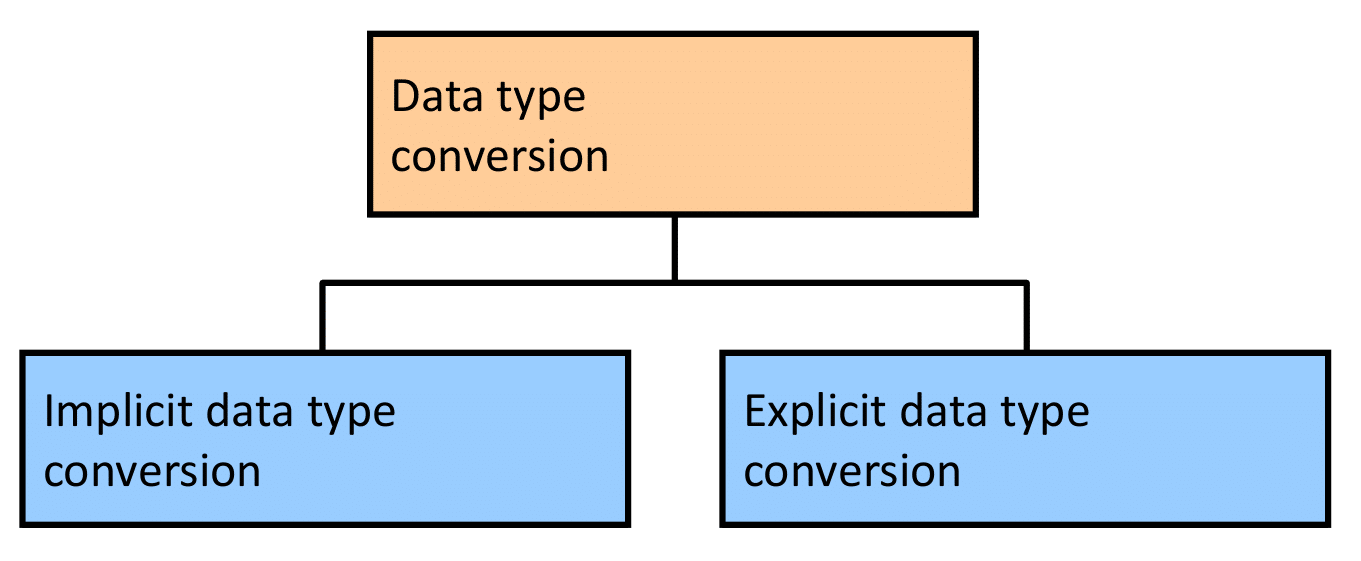
Implicit Data Type Conversion
For assignments (e.g., in INSERT, UPDATE, or variable assignments), the Oracle server can automatically perform implicit data type conversions for certain compatible types.
| From | To | Notes |
|---|---|---|
| VARCHAR2 or CHAR | NUMBER | String must represent a valid number (e.g., '123.45' → 123.45) |
| VARCHAR2 or CHAR | DATE | String must be in the default date format or a recognizable format (depends on NLS_DATE_FORMAT) |
| NUMBER | VARCHAR2 | Number is converted to its string representation |
| DATE | VARCHAR2 | Date is converted to string using the current NLS_DATE_FORMAT |
For expression evaluation (e.g., in WHERE clause conditions, SELECT list expressions, or function arguments), the Oracle Server can automatically perform implicit data type conversions for certain compatible types.
| From | To | Notes |
|---|---|---|
| VARCHAR2 or CHAR | NUMBER | String must represent a valid number; otherwise, runtime error (ORA-01722) |
| VARCHAR2 or CHAR | DATE | String must match the session's NLS_DATE_FORMAT or be recognizable |
Explicit Data Type Conversion
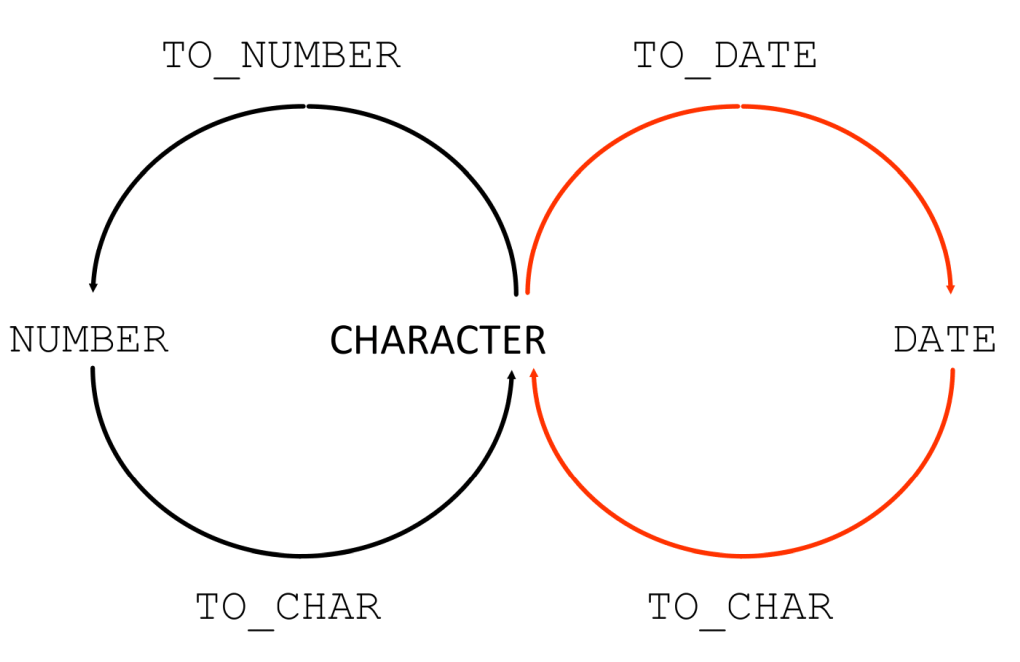
Using the TO_CHAR Function with Dates
TO_CHAR(date, 'format_model')
The format model:
- Must be enclosed by single quotation marks
- Is case-sensitive
- Can include any valid date format element
- Has an fm element to remove padded blanks or suppress leading zeros
- Is separated from the date value by a comma TO_CHAR(date, 'format_model')
Elements of the Date Format Model
| Element | Result | Example (for December 24, 2025 - Wednesday) |
|---|---|---|
| YYYY | Full year in numbers | 2025 |
| YEAR | Year spelled out (in English) | TWENTY TWENTY-FIVE |
| MM | Two-digit value for month | 12 |
| MONTH | Full name of the month | DECEMBER |
| MON | Three-letter abbreviation of the month | DEC |
| DY | Three-letter abbreviation of the day of the week | WED |
| DAY | Full name of the day of the week | WEDNESDAY |
| DD | Numeric day of the month | 24 |
Time Elements
Time elements format the time portion of the date.
| Format Element | Example Result | Description |
|---|---|---|
| HH24:MI:SS AM | 15:45:32 PM | 24-hour format with hours, minutes, seconds, and AM/PM indicator |
Literal Text
Add character strings by enclosing them in double quotation marks.
| Format Example | Result | Notes |
|---|---|---|
| DD "of" MONTH | 12 of OCTOBER | "of" is output literally |
Number Suffixes
Number suffixes spell out numbers (ordinal form).
| Format Element | Result | Description |
|---|---|---|
| ddspth | fourteenth | Spells the day with ordinal suffix (e.g., 1st, 2nd, 3rd, 14th) |
Using the TO_CHAR Function with Dates
| LAST_NAME | HIREDATE |
|---|---|
| King | 17 June 1987 |
| Kochhar | 21 September 1989 |
| De Haan | 13 January 1993 |
| Hunold | 3 January 1990 |
| Ernst | 21 May 1991 |
| Austin | 25 June 1997 |
| Pataballa | 5 February 1998 |
| Lorentz | 7 February 1999 |
Using the TO_CHAR Function with Numbers
These are some of the format elements that you can use with the TO_CHAR function to display a number value as a character:
| Element | Result/Description |
|---|---|
| 9 | Represents a digit (leading zeros suppressed) |
| 0 | Forces a zero to be displayed |
| $ | Places a floating dollar sign |
| L | Uses the floating local currency symbol |
| . | Prints a decimal point |
| , | Prints a comma as thousands indicator |
| SALARY |
|---|
| $6,000.00 |
Using TO_NUMBER and TO_DATE Functions
Convert a character string to a number format using the TO_NUMBER function:
Convert a character string to a date format using the TO_DATE function:
- These functions have an FX modifier.
- This modifier specifies the exact matching for the character argument and the format model of a TO_DATE function.