Views
What is a VIEW?
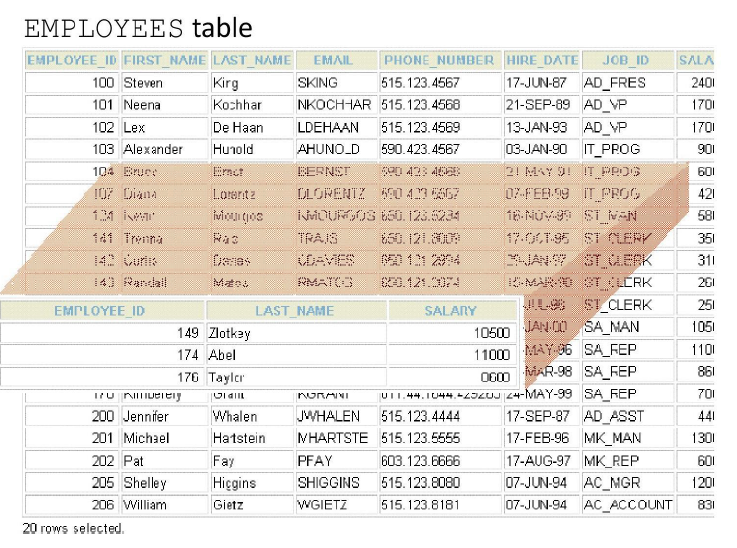
You can present logical subsets or combinations of data by creating views of tables.
A view is a logical table based on a table or another view.
A view contains no data of its own but is like a window through which data from tables can be viewed or changed.
The tables on which a view is based are called base tables. The view is stored as a SELECT statement in the data dictionary.
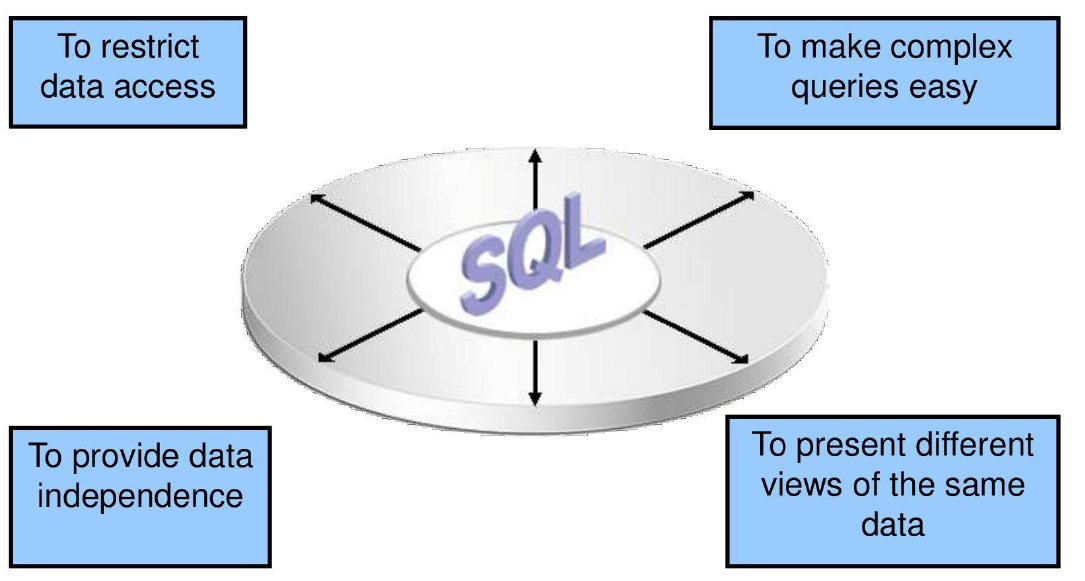
Advantages of Views
Simple Views and Complex Views
| Feature | Simple Views | Complex Views |
|---|---|---|
| Number of tables | One | One or more |
| Contain functions | No | Yes |
| Contain groups of data | No | Yes |
| DML operations through a view | Yes | Not always |
Creating a View
- You embed a subquery in the CREATE VIEW statement:
CREATE [OR REPLACE] [FORCE|NOFORCE] VIEW view
    [(alias[, alias]...)]
AS subquery
[WITH CHECK OPTION [CONSTRAINT constraint]]
[WITH READ ONLY [CONSTRAINT constraint]];
- The subquery can contain complex SELECT syntax.
Create the EMPVU80 view, which contains details of employees in department 80:
CREATE VIEW empvu80
AS SELECT  employee_id, last_name, salary
   FROM    employees
   WHERE   department_id = 80;

View created.
Describe the structure of the view by using the SQL*Plus DESCRIBE command:
Retrieving Data from a View
Modifying a View
- Modify the EMPVU80 view by using a CREATE OR REPLACE VIEW clause. Add an alias for each column name:
CREATE OR REPLACE VIEW empvu80
    (id_number, name, sal, department_id)
AS SELECT  employee_id, first_name || ' ' || last_name, salary, department_id
   FROM    employees
   WHERE   department_id = 80;

View created.
Column aliases in the CREATE OR REPLACE VIEW clause are listed in the same order as the columns in the subquery.
Creating a Complex View
- Create a complex view that contains group functions to display values from two tables:
CREATE OR REPLACE VIEW dept_sum_vu
    (name, minsal, maxsal, avgsal)
AS SELECT   d.department_name, MIN(e.salary),
            MAX(e.salary), AVG(e.salary)
   FROM     employees e JOIN departments d
            ON (e.department_id = d.department_id)
   GROUP BY d.department_name;
Rules for Performing DML Operations on a View
- You can usually perform DML operations on simple views.
- You cannot remove a row if the view contains the following:
- Group functions
- A GROUP BY clause
- The DISTINCT keyword
- The pseudocolumn ROWNUM keyword
- You cannot modify data in a view if it contains:
- Group functions
- A GROUP BY clause
- The DISTINCT keyword
- The pseudocolumn ROWNUM keyword
- Columns defined by expressions
- You cannot add data through a view if the view includes:
- Group functions
- A GROUP BY clause
- The DISTINCT keyword
- The pseudocolumn ROWNUM keyword
- Columns defined by expressions
- NOT NULL columns in the base tables that are not selected by the view
Using the WITH CHECK OPTION Clause
- You can ensure that DML operations performed on the view stay in the domain of the view by using the WITH CHECK OPTION clause:
CREATE OR REPLACE VIEW empvu20
AS SELECT *
   FROM   employees
   WHERE  department_id = 20
   WITH CHECK OPTION CONSTRAINT empvu20_ck;
Any attempt to change the department number for any row in the view fails because it violates the WITH CHECK OPTION constraint.
Denying DML Operations
- You can ensure that no DML operations occur by adding the WITH READ ONLY option to your view definition.
- Any attempt to perform a DML operation on any row in the view results in an Oracle server error.
CREATE OR REPLACE VIEW empvu10
    (employee_number, employee_name, job_title)
AS SELECT  employee_id, last_name, job_id
   FROM    employees
   WHERE   department_id = 10
   WITH READ ONLY;
Removing a View
- You can remove a view without losing data because a view is based on underlying tables in the database.